
Support Animal Accommodation
Below is an overview of how to submit a support animal accommodation request.
1. Go to the PetScreening Website
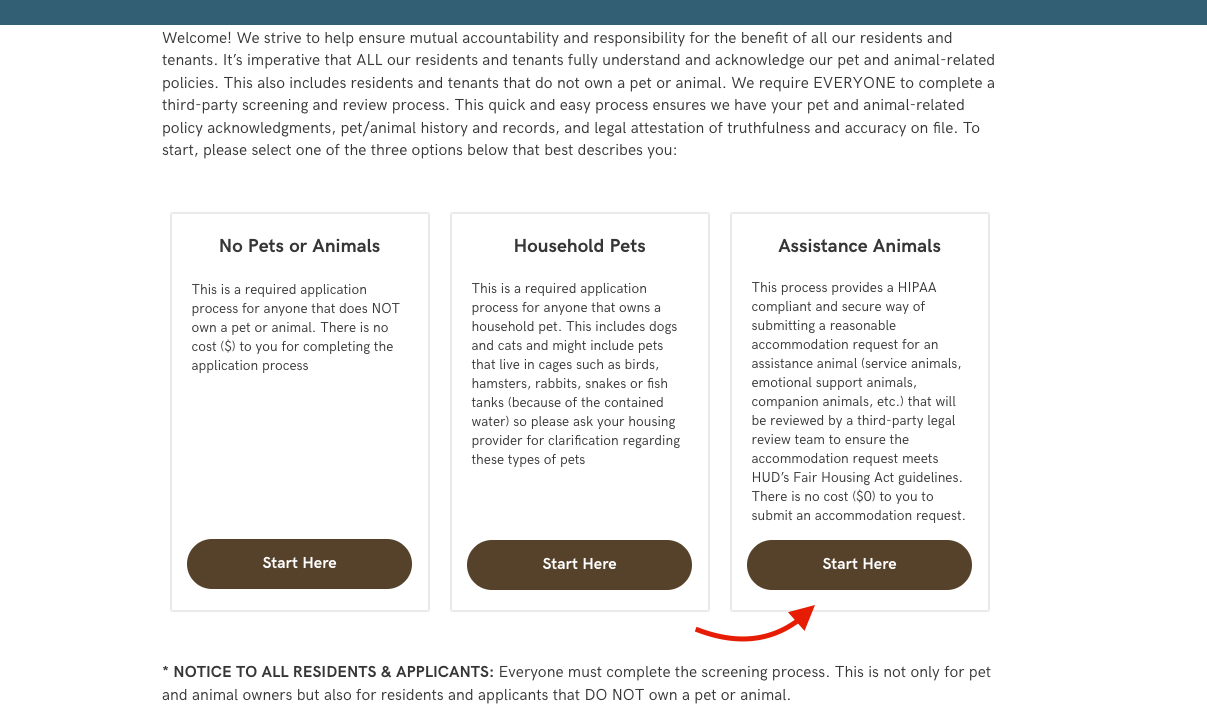
- Visit PetScreening.com via our link below and click Start Your Pet/Animal Profile (or use the link your housing provider gave you).
- https://johnsonpmllc.petscreening.com/
- Click “Start Here” under the Assistance Animals column, (NOT “Household Pet Profile”).
- NOTE: If you are asked for payment then you have missed a step.
2. Create an Account or Log In
- If you’re new, click Sign Up and enter your name, email, and password.
- If you already have an account, log in.
3. Select the Profile Type
- Select how many animals / profiles you are creating.
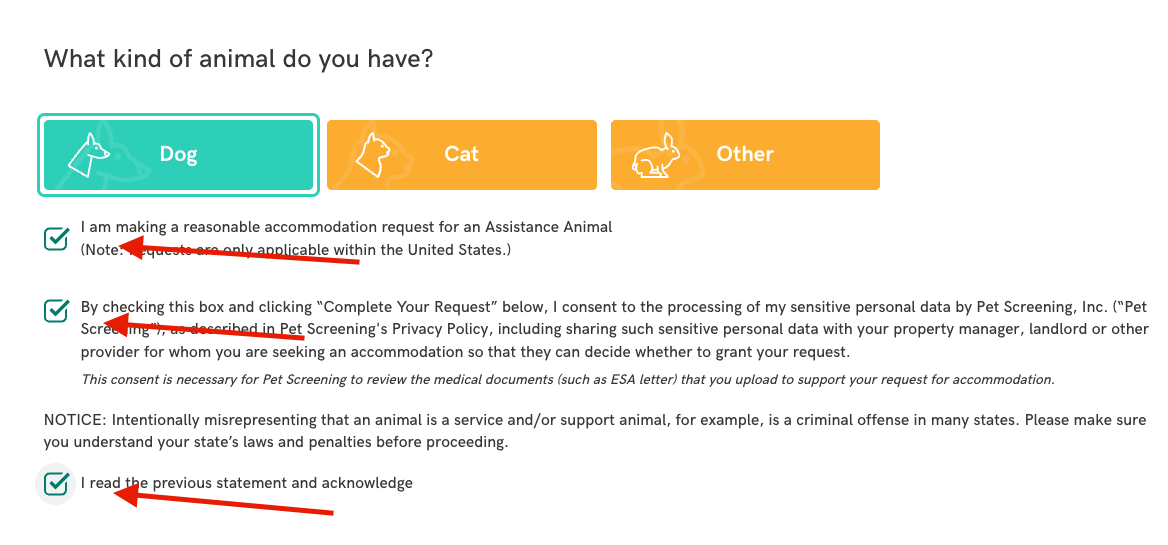
- Select the appropriate box for What kind of animal do you have?
- Check the I am making a reasonable accommodation request for an Assistance Animal box below.
- Review and check the other consent boxes below.
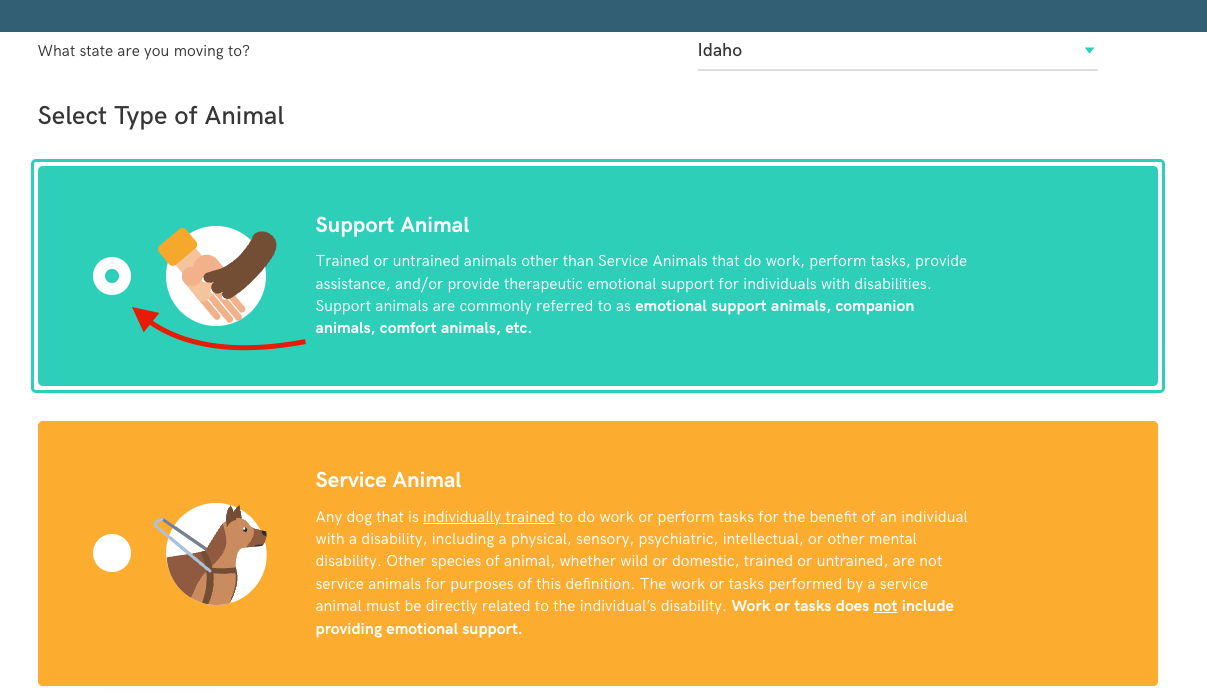
- Select what state you are moving to, then select the appropriate Support Animal or Service Animal row.
4. Complete the Questionnaire
-
Answer questions about: Your animal’s basic information (species, breed, weight, age, name). Vaccination records (upload if available).
-
For ESAs, you’ll be asked about your disability-related need for the animal.
5. Upload Documentation
-
If you have a licensed healthcare provider’s letter (for ESAs), upload it.
-
For service animals, you’ll answer questions about training and tasks performed.
6. Submit for Review
-
Review your answers and click Submit.
-
PetScreening’s Assistance Animal Review Team will verify your request.
7. Confirmation & Sharing
-
Once submitted, you’ll get confirmation by email.
-
Your housing provider will receive the completed report directly.